
Take-Home Resource
Build Your First AI Employee
An assistant that finds the right people to pitch, writes to them in your voice, and keeps track of who replied.
AI Skills Unlocked · Free Guide
You already know how to hire. You write a job description, hand over the handbook, give them keys to the building, and check their work for the first week. This is that, except the hire never sleeps and does not need a salary.
The idea
Whether you are pitching a brand, building a content system, chasing new leads, keeping on top of your money, or looking after the clients you already have, the shape of the work is the same. Something has to be found. Something has to be written. Something has to be sent. Something has to be followed up on. It repeats, it eats your evenings, and it is the first thing to slip the week you get busy. That is exactly the work you can hand to someone else.
Three words, then we build
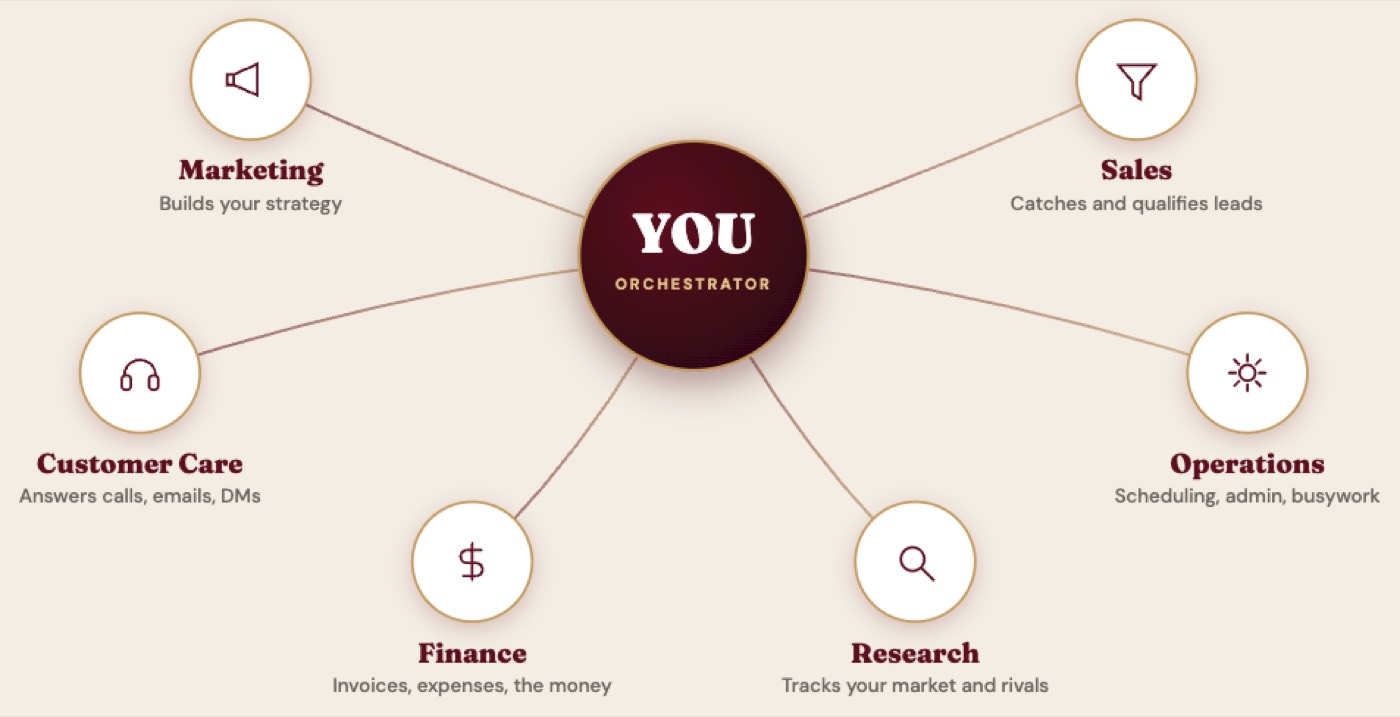
These are the only three words you need, and every one of them maps onto something you already understand about hiring a person.
A worker, her instructions, her keys. That is the whole vocabulary, and you can hire her for any part of your business.
What you will need
- A Claude account on a paid plan, so you have Cowork. Pro is about $20 a month. Download Claude for desktop
- A free Apify account, so your assistant can go and gather information for you. Create your Apify account
- Your Google account, for Drive and Gmail
- About an hour, and most of that is her handbook
1. Open the doors to Google
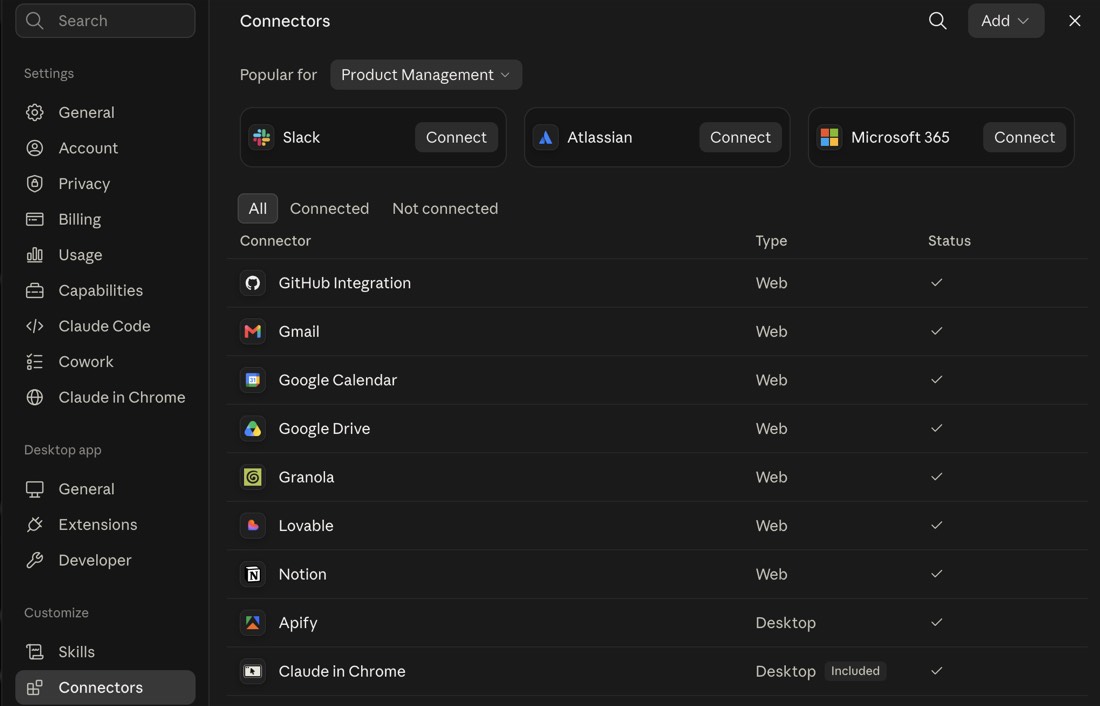
Your assistant starts out brilliant and completely cut off. It has never seen your calendar, does not know your rates, and cannot open your email. Connecting a tool is how you hand over the keys.
In Claude, go to Settings, then Connectors. Find Gmail and Google Drive and click connect on each. You are already signed in to Google, so it is two clicks and a permission screen.
2. Give her a way to go and look
Claude can think and it can write, but on its own it cannot go out and gather information for you. That is what Apify is for.
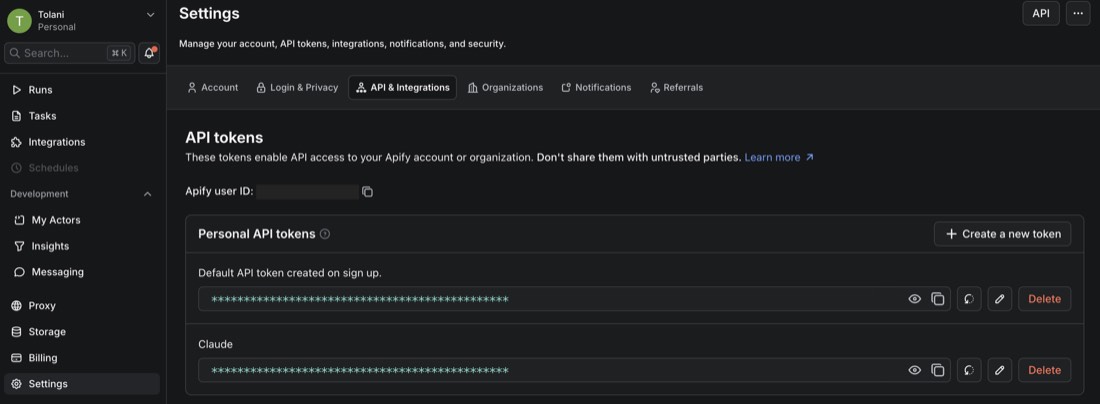
Apify is a marketplace for web scraping and data extraction, which just means going to a website and pulling the information off it in a form you can actually use. The individual tools that do the pulling are called Actors, and there are thousands of them already built and waiting in the Apify Store: business listings and reviews off Google Maps, Instagram, LinkedIn and TikTok profiles, search results, contact details buried on a company's site. You do not have to learn any of them. Your assistant picks the right Actor for what you asked and runs it.
Make a free account at apify.com. Then go to Settings, then API and Integrations, and copy the API token.
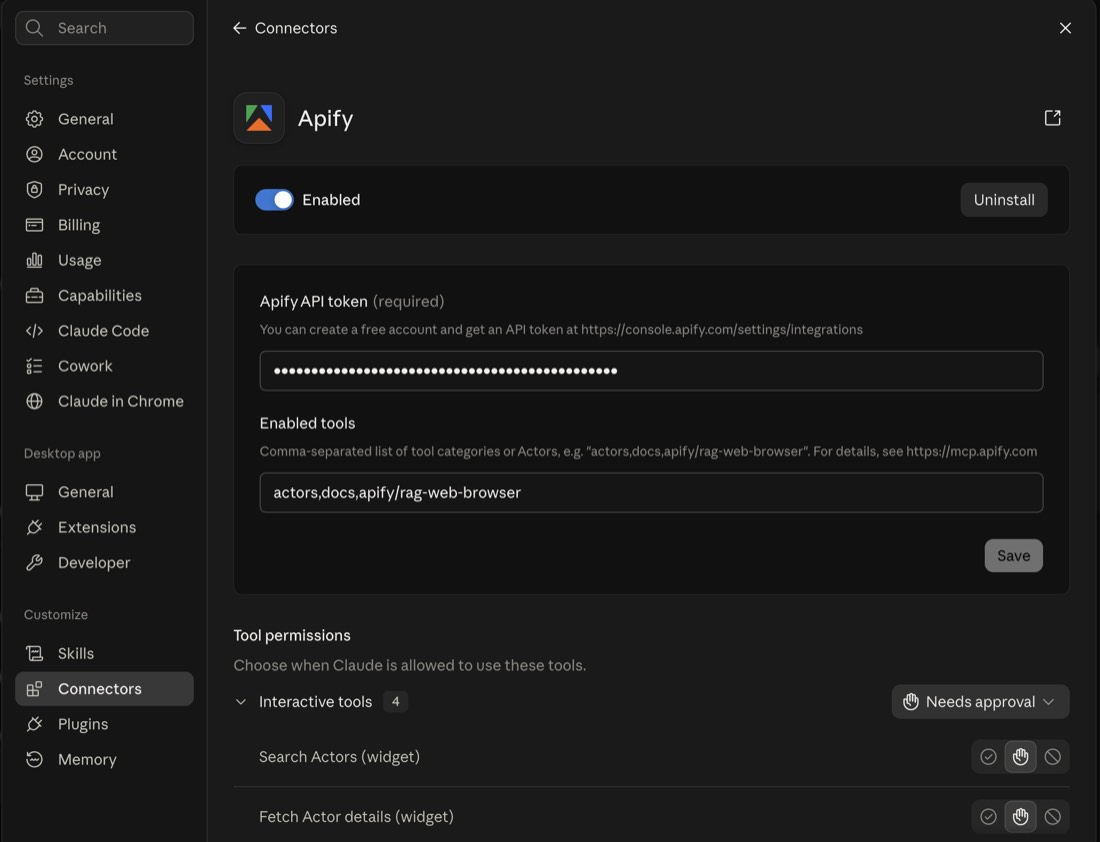
Back in Claude, add the Apify connector and paste the token in. There is a second box called Enabled tools. Paste this exact line into it, or your assistant will not be able to browse:
actors,docs,apify/rag-web-browser
The full 5-step path is below. Unlock it free.
Enter your email to read the complete guide and download the PDF.
Get the full build
Enter your email to unlock her handbook, her SOP, the copy-paste prompts, and the four assistants to hire next.
One email. No spam. Unsubscribe anytime.